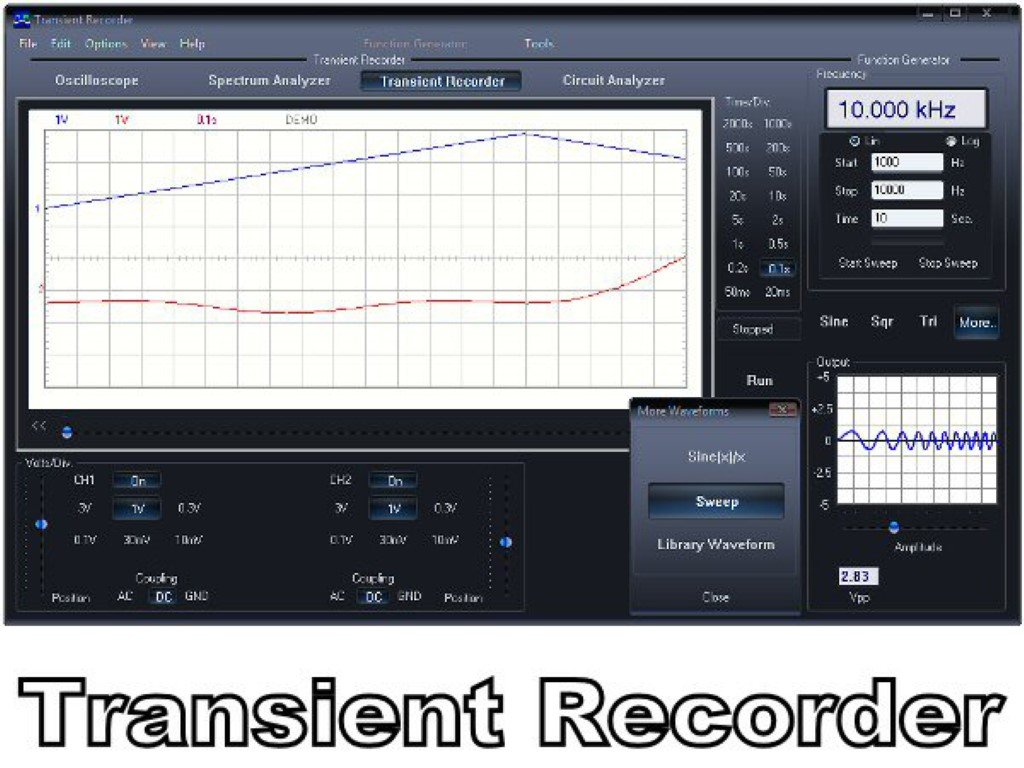
In today's interconnected world, where wireless technologies define our daily lives—from the smart devices in our homes to the lightning-fast data powering our networks—the demand for robust, reliable communication systems is relentless. But building and testing these systems is anything but simple. This is where Signal Generator Software & Automation steps in, transforming complex signal creation into a streamlined, efficient process that dramatically simplifies and accelerates testing.
It’s no longer enough to simply generate a signal; engineers need precision, repeatability, and the ability to quickly adapt to evolving standards. Manual setups are slow, prone to error, and simply can't keep pace with the intricate demands of technologies like 5G NR, Wi-Fi 7, and the myriad IoT protocols. This guide dives deep into how software-driven solutions are not just improving, but revolutionizing the way we design, validate, and bring new technologies to market.
At a Glance: The Power of Signal Generator Software
- Simplifies Complex Waveforms: Generates intricate standard-compliant or custom signals with an intuitive interface, replacing tedious manual configurations.
- Accelerates Testing: Automates waveform creation, download, and playback, cutting down test cycles from hours to minutes.
- Lowers Costs: Reduces development time, minimizes errors, and makes better use of existing hardware, leading to significant savings.
- Enhances Precision: Ensures highly accurate, repeatable signal generation crucial for rigorous testing and standards compliance.
- Boosts Flexibility: Adapts quickly to new standards and custom requirements without needing new hardware, future-proofing your test bench.
- Integrates Seamlessly: Bridges the gap between design, simulation, and physical testing, creating a cohesive workflow.
Beyond the Box: Why Software Dominates Modern Signal Generation
Imagine trying to write a complex program using only punch cards, or editing a video frame-by-frame on physical film. That's akin to approaching modern RF and wireless testing with only traditional hardware-driven signal generators. While powerful, standalone hardware often means manually configuring parameters, loading files, and lacking the dynamic adaptability that today's fast-paced development cycles demand.
Signal generator software, like SigIQPro developed for SIGLENT instruments, flips this paradigm. It moves the intelligence and control from physical knobs and limited displays to your PC, unleashing a level of flexibility, precision, and automation previously unimaginable. It's the brain that orchestrates your signal generator, allowing you to design, simulate, and deploy complex waveforms with unprecedented ease.
The Core Problem Signal Generator Software & Automation Solves
Modern wireless communication isn't just about sending data; it's about navigating a dense jungle of protocols, modulation schemes, frequency bands, and regulatory standards. Consider these challenges:
- Ever-Increasing Complexity: A single 5G NR signal might involve intricate multi-carrier configurations, beamforming, and advanced modulation schemes, all requiring precise timing and synchronization. Manually generating such a signal, let alone its variations for testing, is a monumental task.
- Time-to-Market Pressure: In fiercely competitive markets, being first matters. Lengthy test and validation cycles can mean missing crucial market windows.
- Resource Constraints: Specialized hardware can be expensive, and dedicated test engineers are in high demand. Optimizing both is critical.
- Human Error: Manual configuration is inherently prone to mistakes, leading to frustrating troubleshooting, delayed schedules, and unreliable test results.
- Adaptability: Standards evolve rapidly. Without software, adapting your test setup to a new revision of Wi-Fi or Bluetooth often means costly hardware upgrades or convoluted workarounds.
Signal generator software directly tackles these pain points by abstracting away much of the underlying complexity. It provides intuitive tools that translate high-level specifications into precise instrument commands, all while opening the door to powerful automation.
What Exactly Is Signal Generator Software & Automation?
At its heart, signal generator software is a PC-based application designed to control and enhance the capabilities of physical signal generators, arbitrary waveform generators (AWGs), and vector signal generators. Think of it as a sophisticated command center, centralizing signal design, generation, and even some aspects of test execution.
For instance, SigIQPro is a prime example of this paradigm. It’s a flexible, PC-based software specifically developed for generating protocol and modulated signals. It creates the blueprint for the complex radio frequency (RF) signals you need, then seamlessly downloads that blueprint to compatible hardware like the SIGLENT SDG7000A, SSG5000X-V, or SSG6082A-V for physical playback.
The "Automation" part of the equation comes from the software's ability to not just create signals, but to manage and sequence them. This means you can program entire test routines: generate signal A, then signal B, sweep a parameter, record a measurement, and repeat—all without manual intervention. It's the bridge between theoretical signal design and practical, automated testing.
Key Capabilities You Should Expect (and Demand)
When evaluating signal generator software, you’re looking for a robust toolkit that handles everything from the minutiae of signal physics to the broad strokes of automated test sequences.
1. Precision Waveform Generation: The Art and Science of Signal Crafting
This is the bread and butter of any signal generator software. It needs to offer both the pre-packaged intelligence for common standards and the raw power for custom design.
- Standard-Compliant Signals: Building to Spec
The modern RF landscape is defined by standards. Generating signals that precisely adhere to these specifications is non-negotiable for interoperability and regulatory compliance. Good software provides pre-configured templates and parameters, taking the guesswork out of complex setups. - Bluetooth: From Basic Rate (BR) to Enhanced Data Rate (EDR) and Low Energy (LE) specifications, software like SigIQPro-BT can create fully-coded Bluetooth packets (2-DHx, 2-EVx, 3-DHx, 3-EVx) with a 2 Ms/s symbol rate. This is critical for testing Bluetooth transceivers, ensuring they can correctly send and receive data in a crowded spectrum.
- IoT (Internet of Things): The IoT ecosystem is vast, covering everything from smart home devices to industrial sensors. Signal generation software should support key IoT standards, such as IEEE 802.15.4 for SUN FSK, SUN OFDM, and O-QPSK/BPSK ZigBee, as well as ITU-T G.9959 FSK/GFSK Z-Wave. These are essential for testing low-data-rate, often mesh-networked, devices that form the backbone of modern smart environments.
- LTE/LTE-A (4G Cellular): For established cellular technologies, robust software enables the generation of signals conforming to 3GPP LTE and LTE-A specifications. This includes predefined settings for E-UTRA test models (E-TM), PUCCH, fixed reference channels (FRC), and reference measurement channels (RMC), vital for verifying user equipment and base station performance.
- 5G NR (5th Generation Cellular): The frontier of wireless communication, 5G NR demands highly sophisticated signal generation. Software like SigIQPro-5G NR covers FR1/FR2-1/FR2-2 frequency bands, offering crucial parameter presets for NR RMC, FRC, and Test Models—even including specialized NTN (non-terrestrial network) test mode presets. It allows for single-carrier and multi-carrier configurations, complex scene generation with phase noise and frequency offset, and multi-channel configurations for downlink (PDC, PUCH, CSI-RS) and uplink (PUCH, PUCH, SRS), PRACH, and downlink SS\BPCH Block channels. This level of detail is indispensable for simulating real-world 5G environments.
- IEEE 802.11ax/be (Wi-Fi 6/7): As Wi-Fi speeds push past gigabit barriers, testing becomes more intricate. Software needs to generate high-precision reference signals strictly following IEEE 802.11ax and 802.11be standards. This includes flexible OFDMA Resource Unit (RU) allocation (from 26 to 996-tone) for multi-user scenarios, support for wide bandwidths (20/40/80/160/320MHz), discontinuous channel aggregation, and subchannel puncturing for efficient spectrum use. Advanced modulation schemes like 4096QAM and Dual-Carrier Aggregation Modulation (DCM) should also be supported, alongside various coding rates for BCC and LDPC.
- Custom Modulation: When Standards Aren't Enough
Sometimes, you're working on something entirely new, or need to test the limits of a standard. This is where custom modulation capabilities shine. - Custom IQ and Custom OFDM: The ability to define your own digital modulation schemes, multitone signals, or LFM sweeps is powerful. Supported formats can range from 2ASK, PR-ASK; 2FSK to 16FSK, MSK; 8QAM to 4096QAM; and various PSK formats like BPSK, QPSK, 8PSK, PI/4-DQPSK, up to 32APSK. This gives engineers the freedom to push boundaries and test novel communication methods.
2. Seamless Hardware Integration: Your PC and Your Generator, United
Software is only as good as its connection to the physical world. Effective signal generation software establishes a robust link with your signal generator hardware, ensuring waveforms are accurately transferred and played back. This often involves:
- Direct Control: Remotely configuring generator settings, frequency, power, and modulation parameters from the software interface.
- High-Speed Data Transfer: Efficiently downloading complex, large waveform files (like .arb files) to the instrument’s memory for playback. For example, SigIQPro specifically supports downloading generated waveforms to compatible SIGLENT signal generators.
For those looking to deepen their foundational understanding of the underlying hardware, it’s beneficial to review the broader concepts of Understanding signal generators. This context helps clarify how software transforms raw hardware capabilities into intelligent testing tools.
3. Automation & Scripting: The Engine of Efficiency
The "automation" in "Signal Generator Software & Automation" is where the biggest time and cost savings lie. This isn't just about clicking a button; it’s about programming your test bench to work tirelessly and precisely.
- Test Sequence Generation: Building complex test plans that involve multiple signals, parameter sweeps, and conditional logic.
- Integration with Test Executive Software: Many signal generator software packages offer APIs or scripting interfaces that allow integration with higher-level test executive software (like LabVIEW, Python scripts, or MATLAB), enabling full closed-loop automated testing.
- Automated Data Logging: Recording generator settings and even correlating them with measurements from other instruments, streamlining analysis.
4. Intuitive User Interface (UI): Design for Engineers, Not Programmers
A powerful tool is useless if it's too difficult to operate. The best signal generator software prioritizes an intuitive user interface that reduces the learning curve and minimizes operational errors. This includes:
- Graphical Configuration: Visual tools for setting up modulation parameters, channel configurations, and signal types.
- Clear Documentation: Comprehensive guides and examples that help users quickly understand and utilize advanced features.
- Drag-and-Drop Functionality: Simplifying the creation of complex signal sequences or parameter adjustments.
5. Data Conversion & Management (The Toolkit): Your Digital Hub
Modern testing workflows involve a variety of data formats. Software needs to be a good digital citizen, capable of importing and exporting waveforms and project settings seamlessly.
- Flexible Import/Export: A "Toolkit" function, as seen in SigIQPro, allows for exporting waveform files (.arb), project files (.project), or state files (.state) for easy sharing and reuse. Crucially, it should also import various user-defined waveforms (.txt, .csv, .dat, .mat) or encrypted waveforms from other sources, providing flexibility in your workflow. This capability is essential for collaborating across teams and utilizing data from different simulation tools.
Real-World Impact: Why This Matters to Your Workflow
Shifting to software-driven signal generation isn't just about incremental improvements; it’s a strategic advantage in product development and verification.
- Accelerated Time-to-Market: By drastically cutting down signal creation and test cycle times, companies can bring new products to market faster, gaining a crucial competitive edge. Imagine reducing a week-long manual test phase to a single day of automated runs.
- Reduced Test Costs: Less time spent on manual configuration means fewer engineering hours. Automated, repeatable tests also reduce the need for costly re-runs due to human error, ultimately lowering overall test expenditure.
- Enhanced Accuracy and Repeatability: Software ensures that every signal generated adheres precisely to the defined parameters, eliminating human variability. This leads to more reliable test results and greater confidence in product performance.
- Greater Flexibility and Adaptability: As standards evolve or custom requirements emerge, software updates can quickly equip your test bench with new capabilities, often without requiring new hardware investments. This makes your equipment future-proofed against rapid technological shifts.
- Simplified Complexity: The intuitive interfaces and pre-configured templates of modern software abstract away the intimidating intricacies of RF signal generation, making advanced testing accessible to a wider range of engineers.
- Seamless Integration with Analysis: When paired with compatible signal analysis software and hardware (e.g., SigIQPro with SDG7000A/SSG5000X-V and SSA5000A for Bluetooth), you create a powerful, economical signal generation and analysis solution, streamlining the entire process from signal creation to performance evaluation.
Choosing the Right Signal Generator Software: What to Look For
Selecting the right software is a critical decision. Here’s a checklist to guide you:
- Compatibility with Existing Hardware: Does the software seamlessly integrate with your current signal generators or AWGs? Vendor-specific software, like SigIQPro for SIGLENT instruments, often offers the tightest integration and best performance.
- Supported Standards and Modulations: Ensure it covers all the wireless communication standards and custom modulation schemes relevant to your current and future projects (e.g., 5G NR, Wi-Fi 7, Bluetooth LE, specific IoT protocols).
- Ease of Use and Documentation: Look for an intuitive user interface, comprehensive tutorials, and clear documentation. A steep learning curve can negate many of the benefits.
- Automation Capabilities: Does it offer scripting interfaces (e.g., Python, MATLAB APIs), sequence generation tools, and remote control features that align with your automation strategy?
- Scalability and Future-Proofing: Can the software be updated to support new standards or expanded with modules as your needs evolve? Investing in a platform that grows with you is wise.
- Performance and Precision: Verify that the software can generate signals with the required accuracy, spectral purity, and speed for your most demanding applications.
- Support and Community: A responsive technical support team and an active user community can be invaluable resources when you encounter challenges or need guidance.
Common Misconceptions About Signal Generator Software
Even with its clear advantages, some lingering myths about signal generator software persist. Let's debunk a few:
- "It's just for really complex signals." While it excels at complexity, software also vastly simplifies generating even basic signals. Its intuitive interface and automation capabilities benefit all levels of signal generation, freeing engineers from repetitive tasks on simple signals too.
- "Hardware is always faster for direct control." While direct hardware control is immediate, for complex, repeatable sequences, software-driven automation is undeniably faster. Setting up a 5G NR test model manually versus clicking a few options in software and pressing "run" isn't a fair comparison. The overall test cycle time is what matters.
- "It's too expensive/difficult to learn." The initial investment in software is quickly recouped through accelerated development, reduced errors, and optimized use of existing hardware. Many modern software packages prioritize user-friendliness, making them accessible even for those new to advanced signal generation. The cost of not adopting automation often far outweighs the cost of the software itself.
Getting Started with Signal Generator Software & Automation
Ready to harness this power? Here’s a simplified workflow you might encounter:
- Define Your Signal: Open the software and select the desired standard (e.g., Bluetooth LE) or custom modulation.
- Configure Parameters: Use the graphical interface to set essential parameters like modulation type, data rate, packet structure, and payload. For a Bluetooth LE signal, you might select the specific PHY mode and packet type.
- Visualize and Validate: The software often provides real-time visualizations (like constellation diagrams, spectrum plots) to help you verify the signal's characteristics before generation.
- Download to Hardware: With a click, the software compiles the waveform and downloads it to your connected signal generator.
- Playback and Test: The signal generator plays back the waveform, ready for your device under test (DUT) to receive it.
- Automate (Optional, but Recommended): Beyond single-shot generation, you can then build a sequence. For instance, generate a Bluetooth BR signal, then an EDR, then an LE, sweeping power levels, and automating this entire test routine.
The Future is Automated: Where Signal Generation is Heading
The trajectory for signal generator software and automation points towards even greater intelligence and integration. Expect to see:
- Deeper AI/ML Integration: Leveraging artificial intelligence and machine learning to optimize test parameters, predict potential issues, and even design more efficient custom waveforms based on performance feedback.
- Cloud-Based Solutions: More distributed testing environments, allowing engineers to access and control signal generators remotely, collaborate globally, and leverage cloud computing resources for complex simulations.
- Even Tighter Ecosystems: Seamless integration not just between signal generators and spectrum analyzers, but across the entire design and test toolchain, from circuit simulators to manufacturing test lines.
- Augmented Reality (AR) for Test Setup: Visual overlays guiding technicians through complex physical setups, reducing errors and training time.
Empowering Your Engineering Workflow with Software
Signal generator software and automation isn't just a tool; it's a strategic investment in the efficiency, accuracy, and agility of your engineering workflow. It empowers you to tackle the increasingly complex challenges of modern wireless communication with confidence, dramatically shortening development cycles, reducing costs, and ultimately bringing innovative products to market faster. By embracing software-driven signal generation, you're not just keeping pace with technological change—you're leading it.